Getting your snipers vs runners pc controls dialed in before your first match is the single fastest way to improve your survival odds, because the game throws you into a high-stakes arena where a single misclick can cost you the round. The game, developed by STOCK STUDIOS INC. and sitting at over 3.96 million visits with roughly 4.4K players online at peak times, demands that you understand exactly which key does what when a sniper has you in their scope. This quick start guide breaks down every binding, explains how to customize your setup for maximum responsiveness, and gives you the foundational strategies that separate players who reach the finish line from those who feed the sniper's kill count.
Default Keybinds: Your Complete Snipers Vs Runners PC Controls Reference
Before you can develop advanced tactics, you need to memorize the default layout that the game ships with, because every other tip in this guide builds on top of these core inputs. The controls follow standard Roblox conventions, which means if you have played any other shooter or obby on the platform, you will feel at home immediately. However, the way these snipers vs runners keybinds combine with the game's unique ability system creates a learning curve that catches many new players off guard during their first few rounds.
| Action | Default Key | Notes |
|---|---|---|
| Move Forward / Back | W / S | Standard WASD movement |
| Strafe Left / Right | A / D | Critical for dodging sniper shots |
| Jump | Spacebar | Essential for obstacle navigation |
| Sprint | Left Shift | Consumes stamina, use strategically |
| Crouch / Slide | C | Reduces hitbox, enables slide tech |
| Use Ability | Q | Activates your role-specific power |
| Interact / Pick Up | E | Opens crates and interacts with objects |
| Reload | R | Sniper role only, timing matters |
| Aim Down Sights | Right Mouse Button | Sniper role, zooms your scope |
| Fire | Left Mouse Button | Hold for charged shots on sniper |
| Switch Weapon | 1 / 2 | Sniper role, primary and secondary |
| Scoreboard | Tab | Check live standings mid-match |
| Emote Wheel | B | Cosmetic, not gameplay relevant |
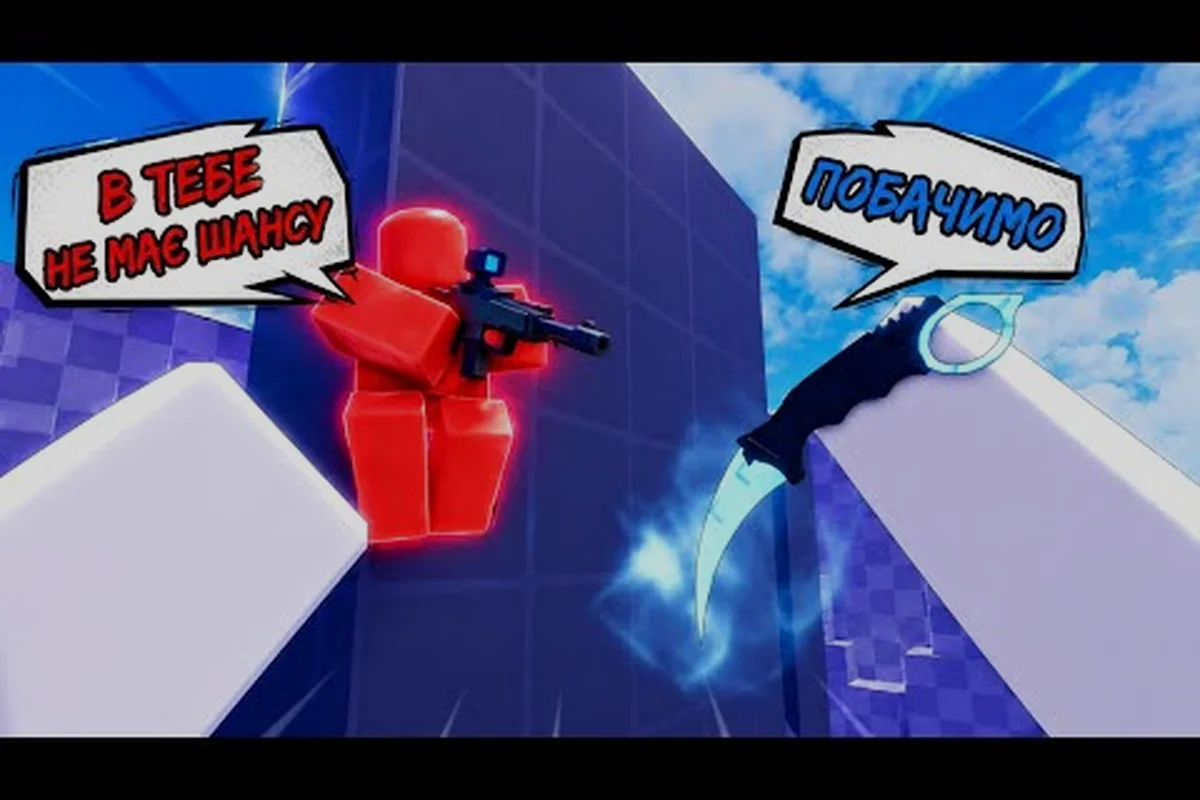
The movement keys form the backbone of your survival strategy, because runners who master strafing patterns become significantly harder targets for snipers holding elevated sightlines. Community gameplay footage, such as the RoBros gameplay video, shows how effective unpredictable A-D jitter movements are at throwing off a sniper's aim. Meanwhile, the ability key (Q) deserves special attention, since activating your smoke screen, decoy, or shield at the right moment can mean the difference between a clean escape and a respawn screen.
Customizing Your Keybinds for Faster Reaction Times
While the default layout works fine for casual play, competitive players quickly realize that certain actions need to be more accessible depending on their preferred role. The good news is that Roblox's built-in settings menu allows you to remap most inputs, and taking the time to customize your snipers vs runners pc controls can shave precious milliseconds off your reaction time. This matters because snipers often hold angles for several seconds, waiting for runners to make a predictable movement, and a faster ability activation can break their line of sight before they pull the trigger.
Optimal Keybind Adjustments for Runner Players
Runners live and die by their ability to react instantly to sniper fire, so your keybind setup should prioritize quick access to your escape tools. Many experienced players recommend moving the ability key from Q to one of your mouse side buttons, because your thumb can activate it without lifting your fingers off the movement keys. This adjustment keeps your WASD hand fully committed to directional movement while your thumb handles ability activation, which is crucial when you need to smoke-screen and change direction simultaneously.
| Recommended Binding | Default | Why Change It |
|---|---|---|
| Ability | Mouse Button 4 | Instant activation without finger movement |
| Sprint | Left Shift (keep) | Already optimal for pinky finger |
| Crouch / Slide | Left Ctrl | Easier to reach for slide-cancel tech |
| Jump | Spacebar (keep) | Universal, no reason to change |
| Scoreboard | Tab (keep) | Out of the way, rarely needed mid-fight |
Sniper Role Keybind Priorities
Snipers have a different set of priorities, because their success depends on smooth aiming and firing mechanics rather than rapid ability usage. The keybind that matters most for snipers is the Aim Down Sights toggle, which many players switch from hold-to-zoom to toggle-to-zoom in the settings menu. This change reduces finger fatigue during long matches where you might spend extended periods scoped in, waiting for runners to cross your kill zone. Additionally, binding your reload key closer to your movement cluster can help you maintain pressure without losing sight of approaching targets.
Quick Start Setup: Optimizing Your Settings Before Your First Match
Jumping into your first match without adjusting your settings puts you at a significant disadvantage, because the default sensitivity and camera options rarely match your personal playstyle. A proper snipers vs runners quick start routine involves spending five minutes in the settings menu before you ever queue into a game, and these adjustments will pay dividends across every future match. The game's official Roblox page confirms that the game supports full Roblox settings integration, so you have access to the standard suite of customization options.
| Setting | Recommended Value | Reasoning |
|---|---|---|
| Camera Sensitivity | 0.5 - 0.7 | Balanced for tracking fast runners |
| Mouse Sensitivity | 0.4 - 0.6 | Lower for sniper precision, higher for runner awareness |
| Camera FOV | 70 - 80 | Wider view helps spot snipers early |
| Graphics Quality | 5 - 7 | Balance between visibility and performance |
| Camera Mode | Classic | Most reliable for movement tech |
| Shift Lock | Off | Allows free camera movement while sprinting |
The camera sensitivity deserves special attention because it directly impacts how quickly you can acquire targets as a sniper or how fast you can spot danger as a runner. Community reports suggest that most skilled players run their sensitivity between 0.4 and 0.6, which provides enough speed to track moving targets without sacrificing the precision needed for long-range shots. The carry game gameplay video demonstrates how important smooth camera control is for snipers, as they need to track runners moving across the open course while maintaining their crosshair placement at chest height.
Movement and Ability Keybinds for Both Roles
Understanding the snipers vs runners strategy guide fundamentals starts with mastering how movement and abilities interact with each other, because the game's core loop revolves around the constant tension between runners trying to advance and snipers trying to eliminate them. The movement system includes sprinting, jumping, crouching, and sliding, and each of these actions has specific use cases that experienced players exploit to gain advantages over their opponents.
Runner Movement Combos
Runners have access to several movement combinations that make them significantly harder to hit, and mastering these techniques should be your top priority as a new player. The slide-jump combo involves crouching while sprinting to initiate a slide, then jumping at the end of the slide to maintain your momentum. This technique allows you to move faster than normal sprinting while presenting a lower profile to snipers. Another essential combo is the stutter-step, which involves rapidly tapping your strafe keys to create unpredictable movement patterns that throw off sniper aim.
-
Slide into cover: Use slide to quickly close the distance to the next piece of cover while making yourself harder to hit
-
Jump-crouch timing: Jump and crouch mid-air to change your hitbox position, confusing snipers who anticipated your trajectory
-
Ability cancel: Activate your ability and immediately slide to break line of sight while maintaining forward momentum
-
Sprint management: Reserve your sprint for open sections where sniper sightlines are longest
Sniper Aim and Fire Control
Snipers need to master a different set of controls, because their success depends on precise aim and disciplined trigger control rather than movement tricks. The right mouse button aims down your scope, and while scoped, your movement speed decreases significantly, which means you need to choose your positions carefully. Your left mouse button fires your weapon, and the game rewards patient players who wait for the perfect shot rather than spamming rounds at distant runners.
| Sniper Technique | Control Input | Best Use Case |
|---|---|---|
| Quick Scope | RMB then LMB rapidly | Close-range self-defense |
| Hard Scope | Hold RMB, wait for target | Long-range elimination |
| No Scope | LMB without RMB | Emergency shots at point-blank range |
| Reload Cancel | R, then switch weapon, then switch back | Faster reload in combat |
The quick scope technique deserves special mention because it allows snipers to defend themselves when runners get too close, and the snipers vs runners hardscope guide covers this technique in much greater detail. Community testing shows that quick scoping has a lower accuracy penalty than no-scoping while still allowing you to acquire targets faster than a full hard scope, making it the ideal middle ground for reactive shots.
Advanced Keybind Strategies for Competitive Play
Once you have the basics down, you can start experimenting with advanced keybind configurations that give you a competitive edge in higher-skill lobbies. These strategies go beyond simple remapping and involve thinking about how your physical setup affects your gameplay decisions. Many top players use gaming mice with additional buttons to handle ability activation, weapon switching, and even crouch-slide mechanics without ever moving their fingers from the core movement keys.
Mouse Button Utilization
Modern gaming mice typically feature at least two side buttons, and assigning your most frequently used actions to these buttons can dramatically improve your reaction speed. For runners, the ability button on your mouse allows you to smoke-screen or deploy your decoy without breaking your movement flow. For snipers, assigning crouch to a mouse button lets you maintain your scope while adjusting your position, which is crucial when you need to drop behind cover after taking a shot.
Keyboard Layout Optimization
Your keyboard hand deserves equal attention, because the way you position your fingers affects how quickly you can execute complex input sequences. The pinky finger naturally rests on the left shift key for sprinting, but some players prefer to rebind sprint to a mouse button or to the C key to free their pinky for crouch control. This trade-off depends on your personal comfort, but experimenting with different layouts can reveal configurations that feel more natural and improve your overall gameplay.
Putting It All Together: Your First Matches and Beyond
Your first few matches in Snipers Vs Runners! will feel chaotic, because you are simultaneously learning the maps, the ability timing, and the snipers vs runners pc controls that govern all of it. The key is to focus on one aspect at a time, starting with basic movement and gradually incorporating abilities and advanced techniques as you build muscle memory. Players who rush into complex strategies before mastering the fundamentals often develop bad habits that are difficult to break later.
Start by playing several matches as a runner, focusing purely on strafing and slide mechanics to avoid sniper fire. Once you feel comfortable surviving for extended periods, begin experimenting with ability timing, using your smoke screen or decoy at different points in the course to see how snipers react. After you have a solid foundation as a runner, switch to the sniper role and practice your aim on the open course, learning the common runner routes and the best sightlines to hold.
The movement guide we have published covers advanced techniques like slide-canceling and momentum preservation in detail, and combining those skills with your control setup will make you a formidable player. Similarly, understanding the map routes and where snipers typically position themselves will help you predict danger before it appears, allowing you to pre-position your fingers for the appropriate response.
Frequently Asked Questions
What are the default snipers vs runners pc controls?
The default controls use standard Roblox bindings: WASD for movement, Spacebar to jump, Left Shift to sprint, C to crouch or slide, Q for abilities, and left mouse button to fire. Snipers use right mouse button to aim down sights and R to reload. These defaults work well, but customizing them to your preferences can improve reaction times.
How do I change my keybinds in Snipers Vs Runners!?
Open the Roblox settings menu by pressing Escape, then navigate to the Controls tab. From there, you can click on any action and press the new key you want to assign. The game saves your custom bindings automatically, and you can reset to defaults at any time if you want to start fresh.
What sensitivity should I use for snipers vs runners pc controls?
Most competitive players run their mouse sensitivity between 0.4 and 0.6, with camera sensitivity around 0.5 to 0.7. Lower sensitivity values give snipers more precision for long-range shots, while higher values help runners track threats across the map. Experiment to find what feels comfortable for your playstyle.
Can I use a controller for Snipers Vs Runners!?
Yes, Roblox supports controller input, and Snipers Vs Runners! works with both Xbox and PlayStation controllers. However, the game was designed with keyboard and mouse in mind, and most competitive players prefer mouse and keyboard for the precision aiming that the sniper role requires.
What is the best way to practice snipers vs runners pc controls?
For snipers, bind scope to right-click and quick-swap to Q; for runners, map slide to Shift and jump to Spacebar. Practice flick shots in aim trainers, then drill movement combos in private servers. Watch RoBros’ keybind breakdowns to refine your setup.